B2B
UI Design
Design Systems
Custom Build
Giving Systemair's commercial clients a self-service portal of their own

Systemair corporate and product site designed in collaboration with the client's development team: full UI design with code-ready, interaction-specced mockups for a native, custom-coded build, centered on a self-service personal cabinet for commercial clients and a catalogue spanning four product families.
Impact
30+
Screens designed for the self-service client cabinet, replacing what had vanished from the site
150+
Components in the design system across the whole catalogue

Summary
Objectives
- Give commercial clients (dealers, contractors, service centres) a working self-service cabinet, where none existed at the project's start
- Give engineers and installers one place for accurate, current product and technical information
- Support dealer, partner, and service-centre workflows with certificates, BIM models, price lists, and warranty claims in one system
Key skills
- UI/UX Design
- Interaction Design
- Design Systems
- Information Architecture B2B/Enterprise UX
- Developer Handoff
- Complex Forms
- Responsive Design
- Design QA
Commercial clients had no way to serve themselves
Two problems shaped this rebuild, and a audit of the site confirmed both directly.
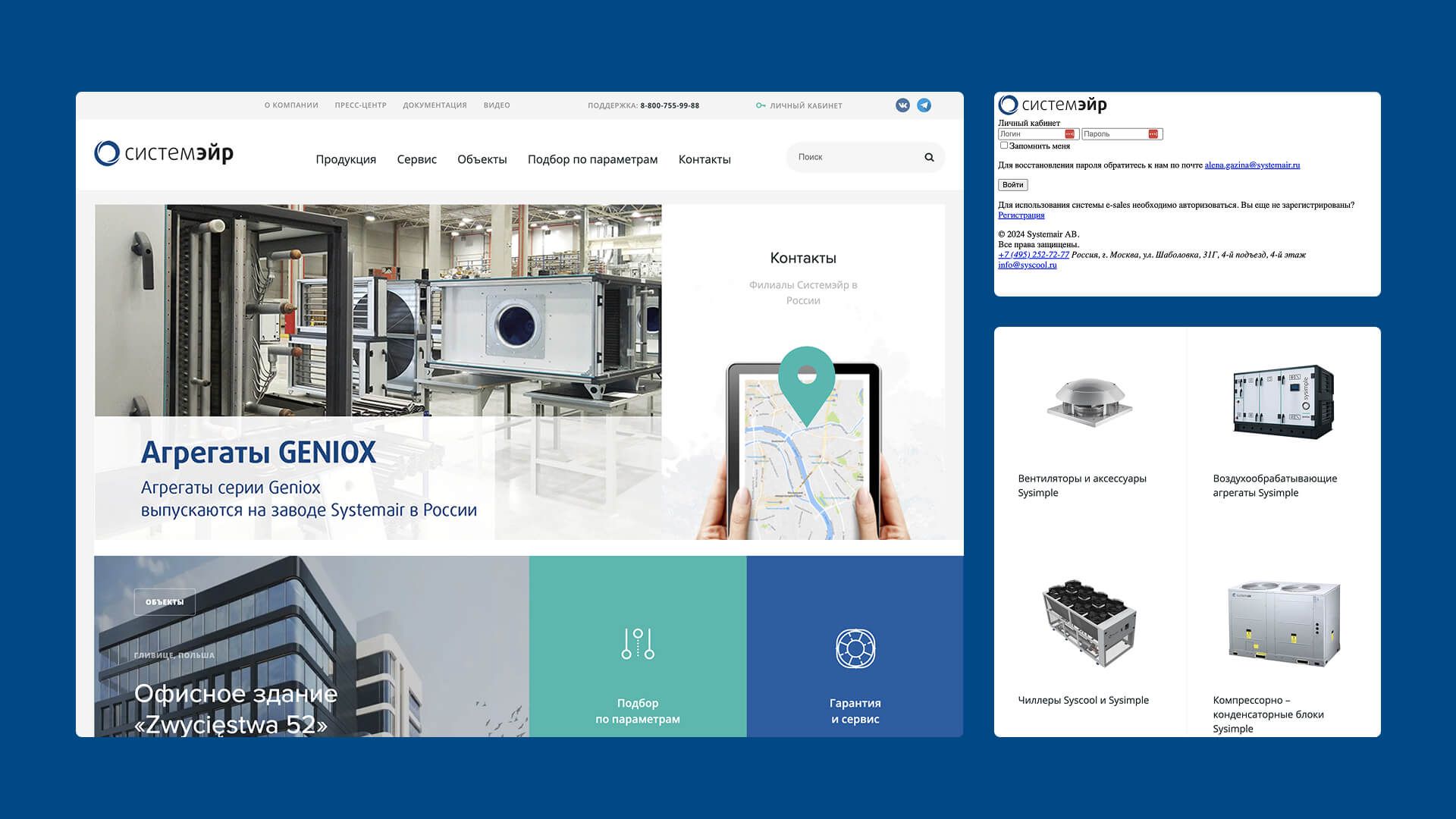
A returning dealer or contractor couldn't check their own order history, reorder equipment, or manage their account anywhere on the site, because the self-service personal cabinet was dated and not functional.
Anyone needing support couldn't reach a dedicated line for it, because the toll-free support number had disappeared alongside it, leaving only a single phone number and a footer email in its place.
The brief called for exactly this gap to close: a personal cabinet with order history, a configurator, and self-service reordering, built on a catalogue structure large enough to hold roughly 139 categories across four product families under one system, rather than duplicated, one-off pages.
Systemair website before revamp (2024)
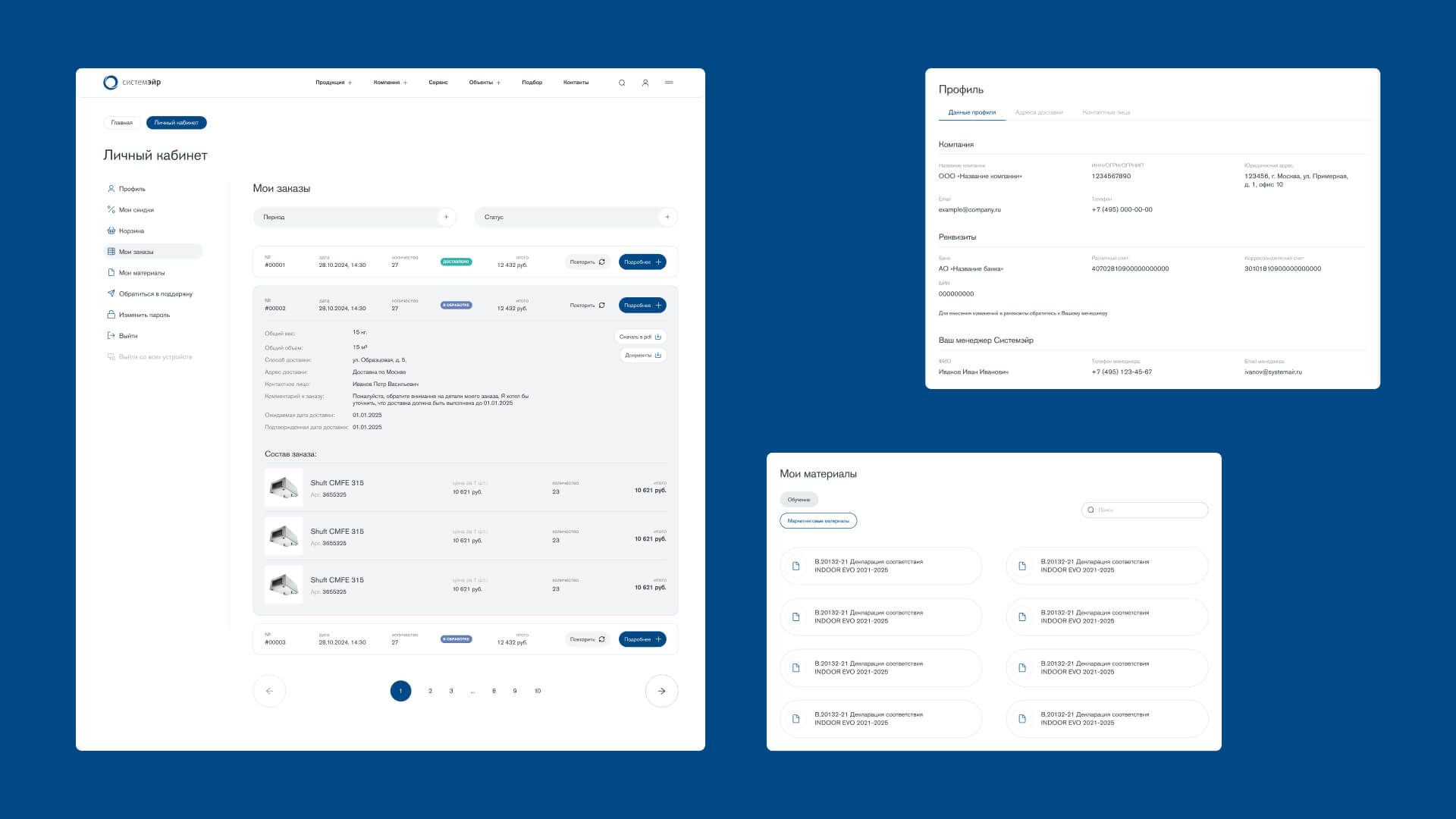
The self-service cabinet — rebuilding what had disappeared
Personal dashboard is the largest single flow in the file — 29 screens covering orders, an order configurator, notifications, saved materials, and documents.
A returning dealer or contractor can now see their order history, reorder equipment without going through sales each time, configure new orders, and track documents in one place.
Corporate client personal dashboard
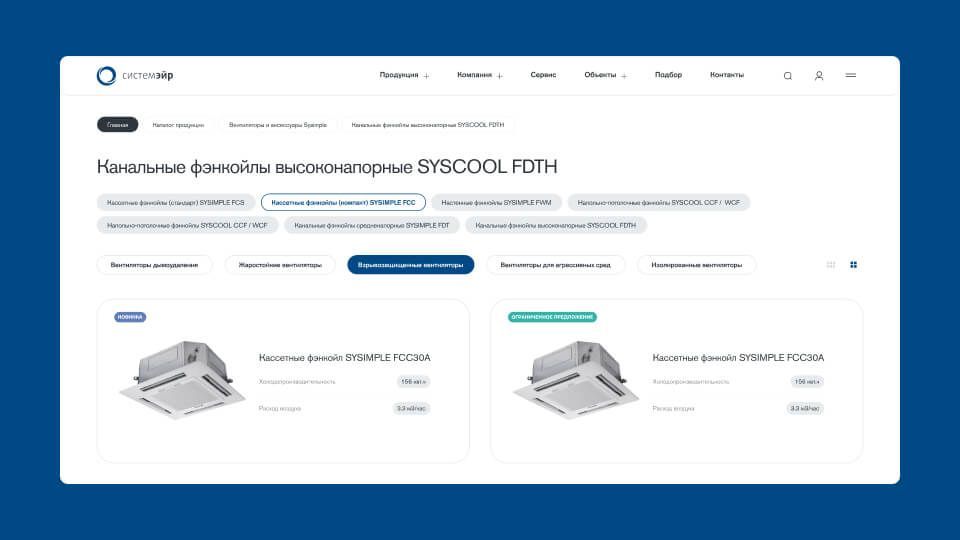
One template, 139 categories — the catalogue system
Despite the catalogue spanning roughly 139 categories and subcategories across four product families, the site runs on a handful of master templates, rather than a one-off design per category.
The whole build runs on a 150+ component design system, reused 2,400+ times, rather than one-off screens.
The real design work wasn't drawing more screens, it was building a property and filter system flexible enough to represent a small axial fan and an industrial chiller through the same template without either one looking generic or over-simplified.
That's what let a catalogue this size ship from a small number of actually designed screens.
Catalog navigation
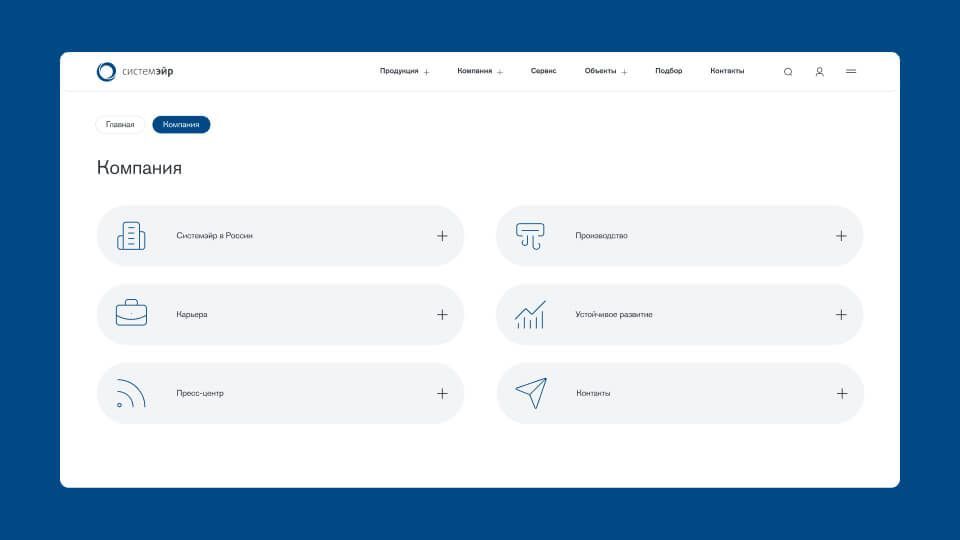
Website navigation pills
Website navigation pills
Getting a new commercial client from registration to an order, not just logging them in
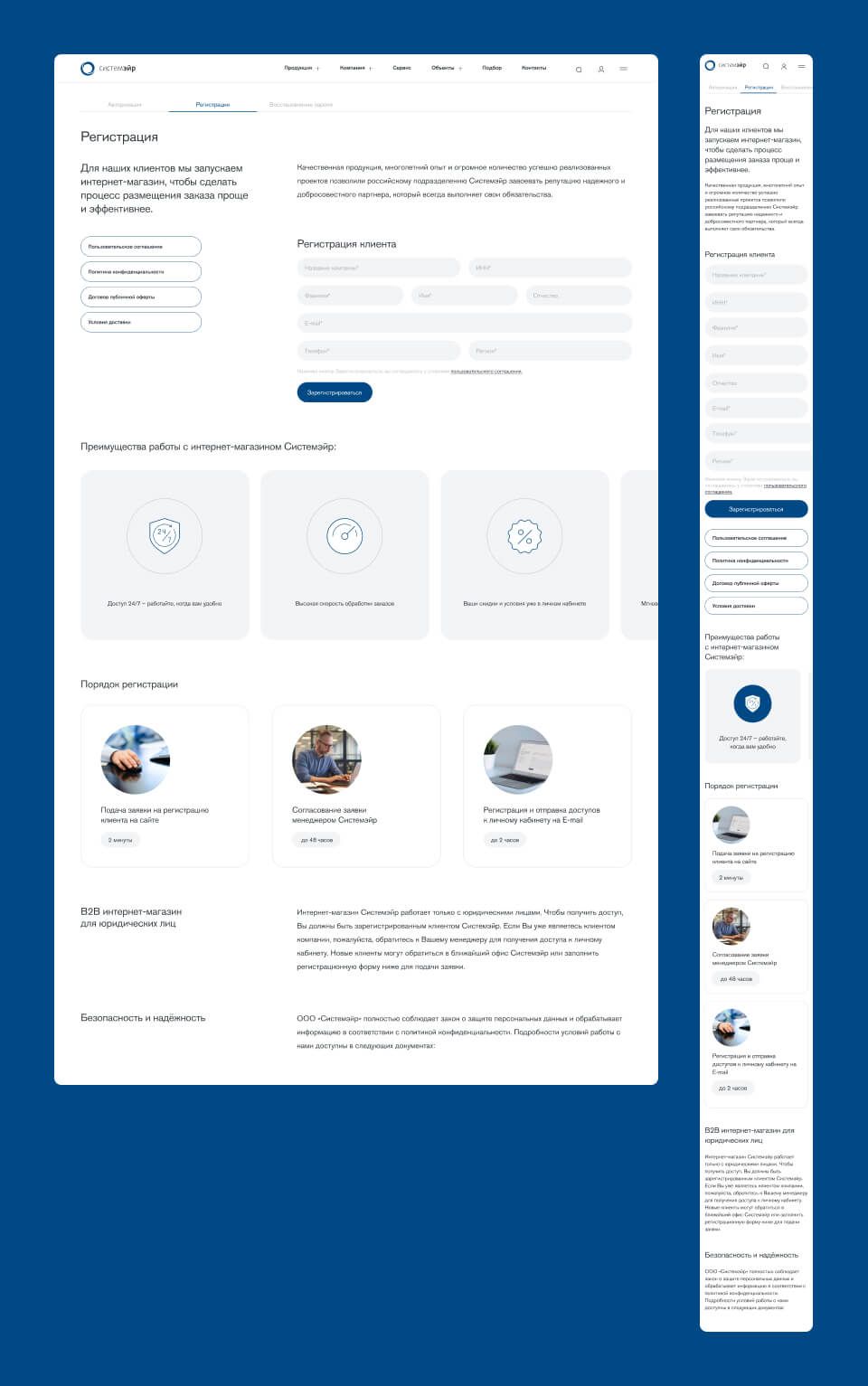
Every commercial client (a dealer, contractor, or service center) had to register before any of the self-service cabinet's order history, configurator, or document access meant anything to them, so that gate itself needed real design attention rather than a generic sign-up form.
The registration flow was built to collect what a B2B account actually needs while staying short enough that it didn't become the reason someone picked up the phone instead of finishing it online.
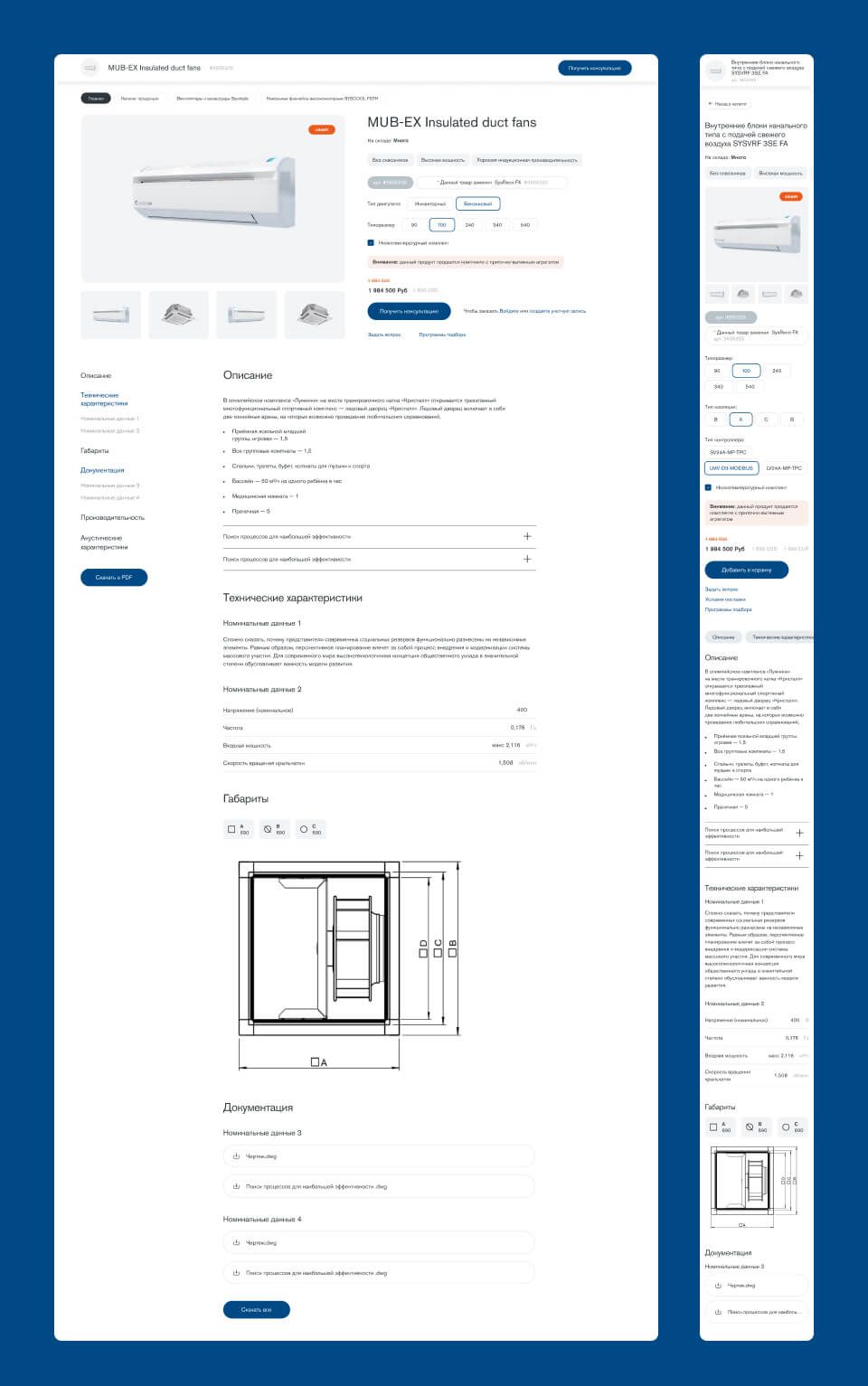
On the product side, the same principle applied to what registration was ultimately in service of: finding and ordering equipment.
Product detail pages were designed to carry a buyer straight from a spec sheet into an order or the configurator, using the same component system across both a small axial fan and an industrial chiller, so getting from "this is the part I need" to "it's in my order" never meant leaving the page to go hunting for how to actually buy it.
Online account registration
Product details page
Product details page
Key Takeaways
01
Designing for a custom build changes what "done" means.
No-code platforms collapse design and build into one act; here, a separate dev team meant every state, spacing value, and interaction had to be unambiguous in the file itself.
That's the real discipline behind "dev-ready" — designing as instruction, not just a picture.
02
At this scale, the job is matching the system, not drawing new screens.
With a component library reused thousands of times, most decisions came down to extending existing logic consistently rather than inventing new patterns
It was a discipline that's just far more visible when one inconsistency multiplies across every template that reuses it.
03
Interactive prototypes and interaction specs aren't an extra step — they're the default.
A static frame doesn't say what a hover, a modal, or a validation error should do, and assuming it's "obvious" is exactly where a build drifts from the design.
This project made specifying that behavior part of every handoff.
Let’s do this
Whether you're hiring or you've got a project, get in touch.
You didn't land here by accident. Whatever brought you, get in touch and let's figure out the next step.